Build gameplay.
Extend behavior visually.
https://github.com/AkiKurisu/Ceres.git?path=Packages/com.kurisu.ceres
From iteration to runtime
Visual logic without a throwaway execution path.
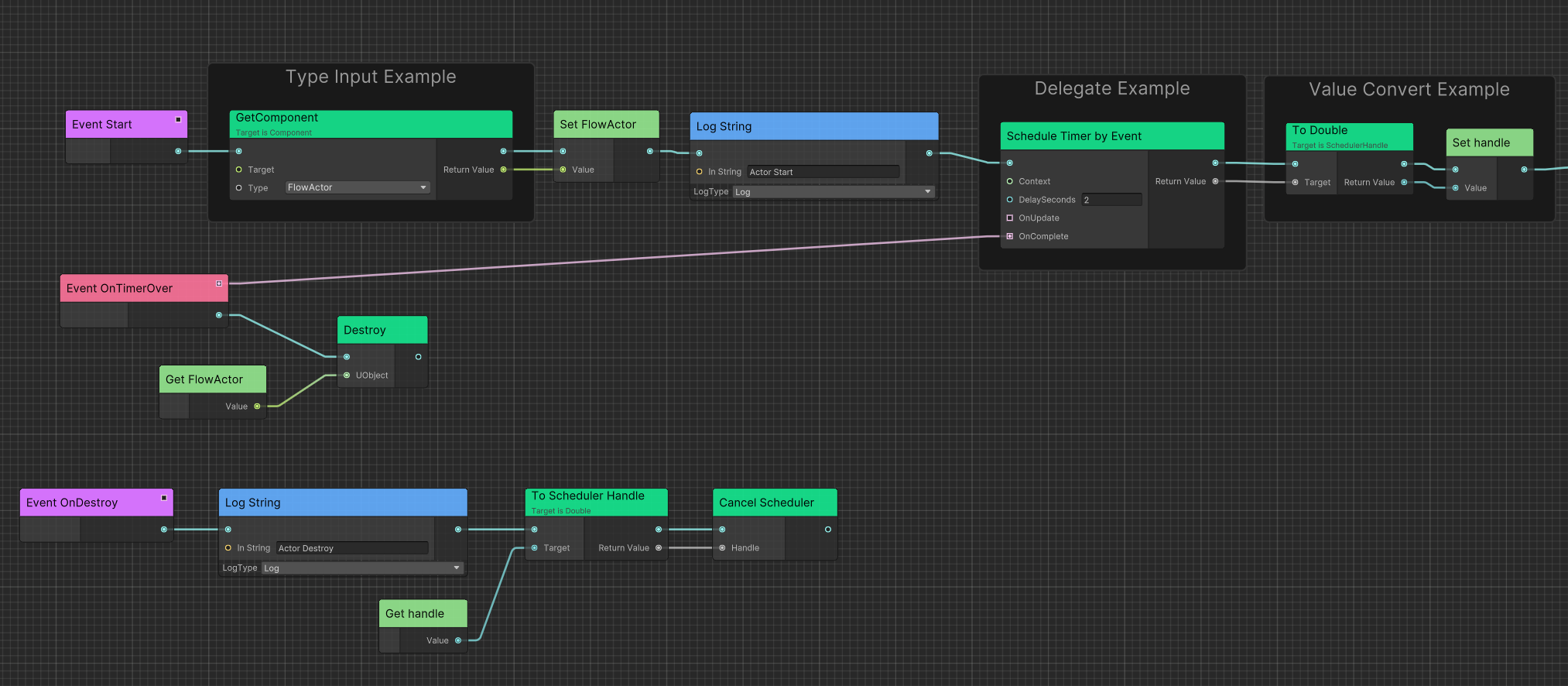
Debug and hot reload Flow graphs while iterating. Generate typed C# runtime programs when the same graph needs production execution.
Why Ceres
A focused stack for gameplay programmers.
Use the parts you need. Keep your C# architecture in control.
C#-first visual scripting
Expose typed APIs to Flow, iterate with live graphs, then generate C# for performance-sensitive and IL2CPP builds.
02Actor-based world design
Build on a lightweight scaffold of Actors, Components, controllers, and lifecycle-managed world services.
03Data-driven gameplay
Author typed Data Tables and hierarchical configuration, then tune live parameters through console variables.
04Graph-driven content pipeline
Create deterministic Addressables builds, validated updates, and relocatable runtime content packages.
05PlayableGraph animation
Compose clips and Animator Controllers with cross-fades, layers, masks, sequences, and notifications.
06Low-overhead foundations
Use pooled lifetimes, sparse storage, reactive state, and allocation-free scheduling paths in hot gameplay code.
Start with the architecture you need