Executable Events
Events are graph entry points. Flow supports named execution events, implementable C# methods, and typed Ceres events.
Execution Event
ExecutionEvent is a common event that can be used to trigger the execution of a FlowGraph instance.
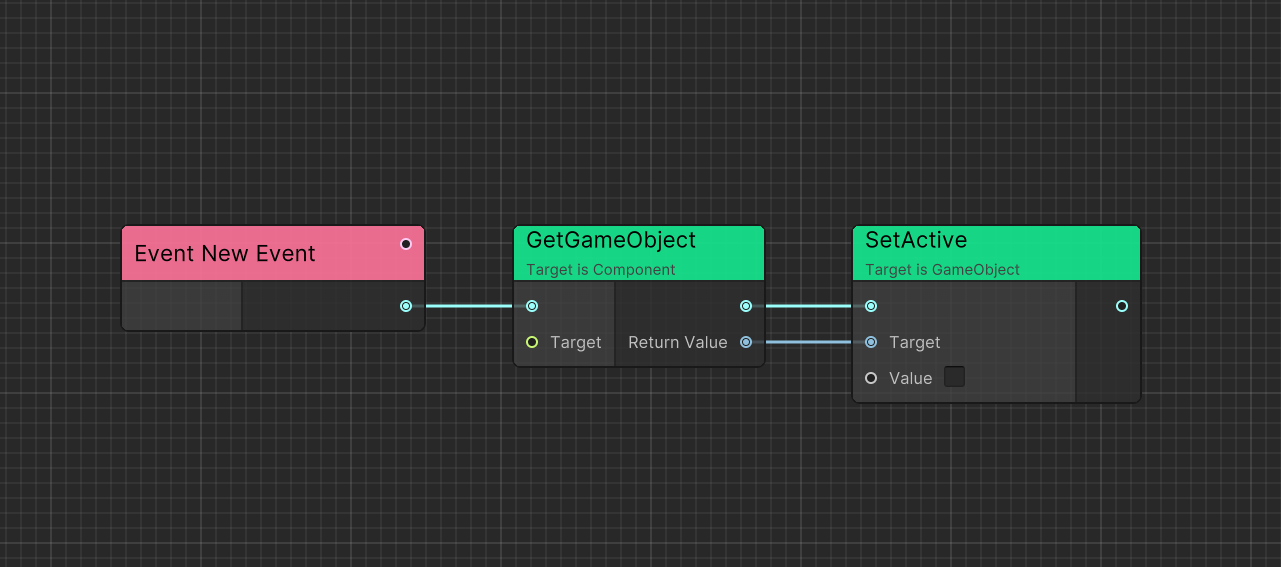
You can double click the event node and rename it.
By default, ExecutionEvent without parameters can be created in search window.
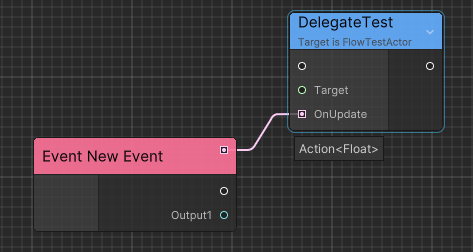
ExecutionEvent with parameters can be created when you drag any port with type EventDelegate<>.
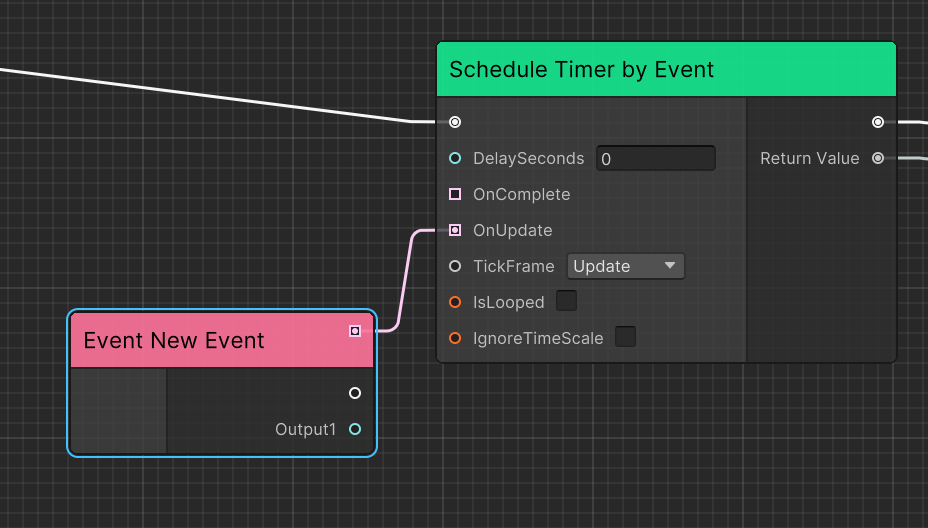
Action<> ports are also supported through implicit conversion.
Implementable Event
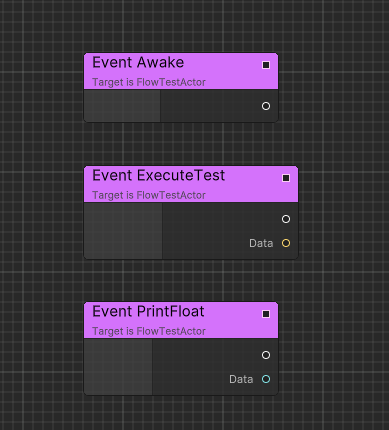
Implementable events can be defined on a container so C# can invoke graph behavior through the annotated method.
Following is an implementation example.
using Ceres.Flow;
using Ceres.Flow.Annotations;

public class FlowTest : FlowGraphObject /* Inherit from MonoBehaviour */
{
    [ImplementableEvent]
    public void Awake()
    {

    }

    [ImplementableEvent]
    public void PrintFloat(float data)
    {

    }

    [ImplementableEvent]
    public void ExecuteTest(string data)
    {

    }
}
Custom Event
Custom executable events carry typed data between C# and Flow without requiring a matching container method.
Here is an implementation example:
using Ceres.Events;
using Ceres.Flow;
using Ceres.Flow.Annotations;
using UnityEngine;

[ExecutableEvent]
public class DamageBoxEvent: EventBase<DamageBoxEvent>
{
    public Collision Collision { get; private set; }

    [ExecutableEvent]
    public static DamageBoxEvent Create(Collision collision)
    {
        var evt = GetPooled();
        evt.Collision = collision;
        return evt;
    }
}

public class DamageBox: MonoBehaviour
{
    private void OnCollisionEnter(Collision other)
    {
        using var evt = DamageBoxEvent.Create(other);
        GetComponentInParent<FlowGraphObject>().SendEvent(evt);
    }
}
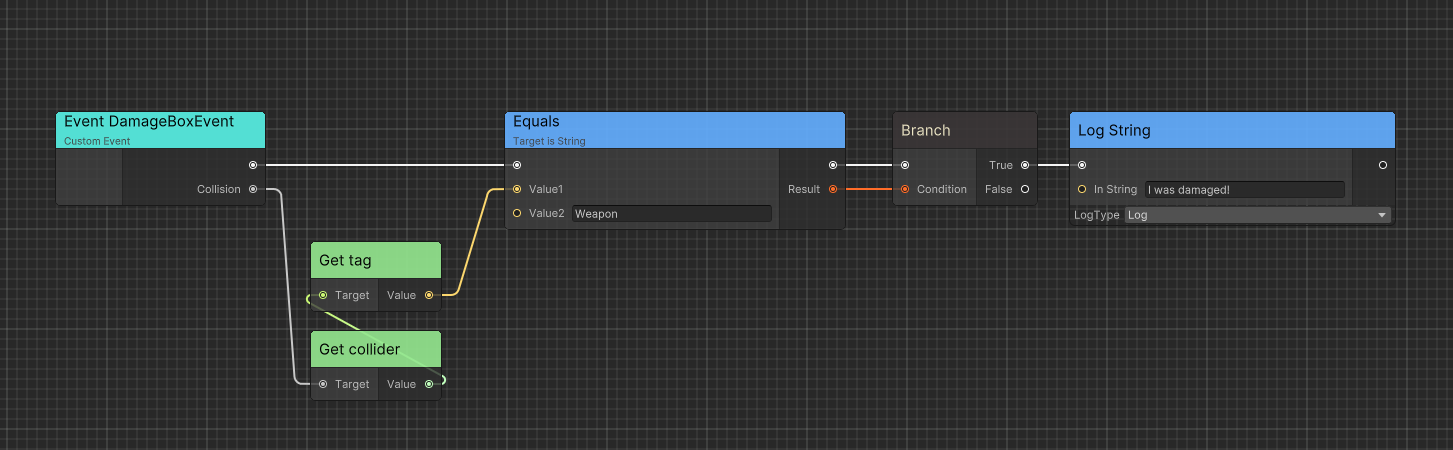
The event type generates an implementation node. Marking the static factory also generates a node that creates the event. Public getters become output ports.
Implementation
Custom event nodes are generated from [ExecutableEvent] and use the Ceres event system for dispatch.
Related guides
- Learn about Executable Functions for exposing C# methods to Flow
- Explore Runtime Architecture to understand how events are executed
- Check Code Generation for technical details on event implementation
- See Quick Startup for a complete example using events